Awana About structure
Philosophy lead, 3B discipleship model, age pathways, club-night breakdown, proof, implementation CTA, scale, membership support, and resources.
 Design System
About-page ministry system
A restrained Bible Blast system modeled after the corrected Awana Clubs About page structure while using Bible Blast color, voice, logo, and Scripture-curriculum content.
Source Evidence
The corrected reference informs structure and seriousness; Bible Blast assets and copy inform color, voice, audience, pathway naming, and CTAs.
Philosophy lead, 3B discipleship model, age pathways, club-night breakdown, proof, implementation CTA, scale, membership support, and resources.
Red, gold, blue, purple, and navy are taken from local brand context and logo-derived palette.
Homepage rewrite, Bible Biz pages, FAQ copy, and wireframes define families, churches, homeschoolers, Scripture memory, rhythm, and free sample CTAs.
Voice Rules
Speak to the adult leader first. The design can carry warmth, but the copy should make discipleship, Scripture memory, and implementation feel clear and sustainable.
Use: Help kids know God's Word and carry it for life.
Use: Simple enough for one child. Structured enough for a church program.
Use: Help families and churches build a repeatable Scripture rhythm.
Avoid: Hype-heavy claims, childish jokes, mascot language, or unsupported statistics.
Colors
Keep most sections white. Use color to make decisions clear, not to fill every surface.
| Name | Token | Value | Use |
|---|---|---|---|
| Red action | --at-color-red | #d02338 | Primary conversion and urgent CTA moments |
| Gold highlight | --at-color-gold | #f6cd27 | Progress, memory work, small emphasis |
| Blue trust | --at-color-blue | #30488a | Navigation, secondary CTA, ministry trust, and success states |
| Purple accent | --at-color-purple | #7c3b8c | Secondary visual accent and hero atmosphere |
| Ink | --at-color-ink | #182044 | Primary text |
Gradients
Gradient tokens exist for complete downstream coverage, but flat white surfaces are the default. The hero uses two dark purple shades. CTA bands use dark blue and navy.
Two dark purple shades for the first viewport only.
High-priority final action.
Small support panel accent.
Typography
The default stack is system-based for portability. It avoids comic display styles and keeps dense ministry content readable.
Help kids know God's Word.
Body copy uses generous line height, navy text, and muted support copy to keep long-form curriculum pages easy to scan.
Sample kicker
Spacing
Use generous vertical spacing like a ministry landing page, then tighter card interiors for scan-friendly content.
80px default desktop rhythm.
24px interior padding.
12px gaps between actions.
Radii
Shadows
Motion
Use motion for hover, press, disclosure, and focus feedback. Respect reduced motion and avoid animated decorative backgrounds.
Token timing: fast 140ms, base 220ms, slow 360ms.
Imagery
Prefer authentic home, homeschool, and church learning imagery. Until approved photography exists, use the logo and simple original support graphics.
Iconography
Open book, verse, memory icons.
Calendar, repeat, check, progress icons.
Home, church, group, student icons.
Components
Components include primitive controls, navigation, feature cards, steps, status panels, forms, and website sections.
Adapt the reference's relationship-first philosophy into Bible Blast language for families, homeschoolers, and church volunteers.
Cards and copy should keep Bible reading, questions, memory work, and truth from God's Word at the center.
Use repeatable steps and activity breakdowns to show how kids carry Scripture into life.
Bible Blast, Bible Biz, home, church, or homeschool.
Read, discuss, remember, quiz, sing, encourage, and reward.
Samples, guides, partner care, and local help should be easy to find.
Applied UI
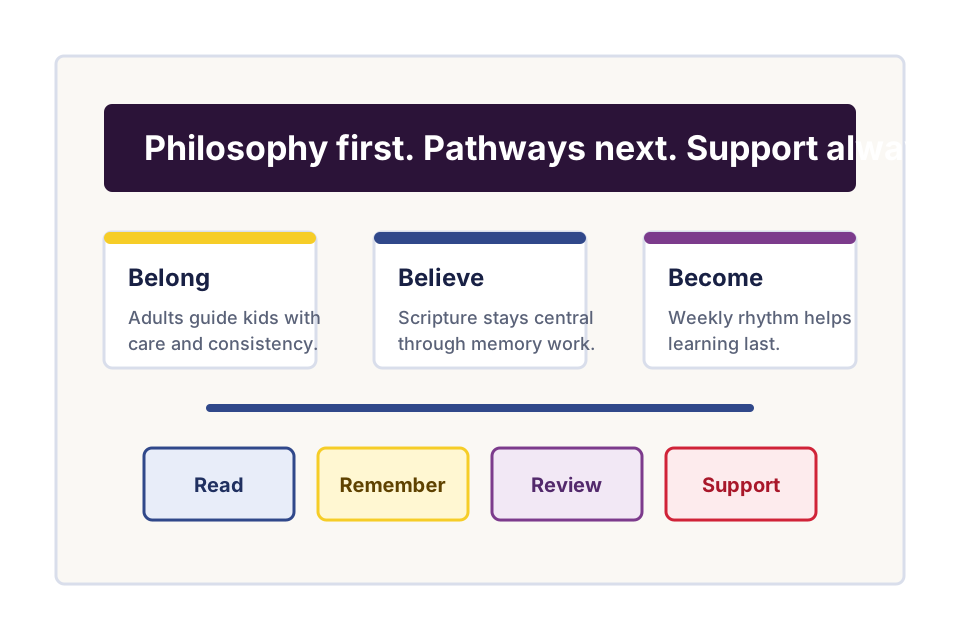
This composition shows the target section rhythm: philosophy, age/stage pathways, weekly activity breakdown, proof, implementation CTA, support resources, and lead form.
Bible story reading, questions, Scripture memory, songs, rewards, and a repeatable weekly rhythm for families and churches.
Student-driven Scripture study and weekly quizzing for older students who are ready to search God's Word for themselves.
Reference proof pattern: the Awana About page uses an alumni statistic to build credibility. For Bible Blast, use only validated Bible Blast proof, testimonials, age ranges, group-size claims, or curriculum-duration claims.
Awana source noted in reference: Excellence in Giving Awana Alumni Study, 2020. Do not republish as a Bible Blast claim.
Implementation CTA
Use this dark-blue CTA band for sample requests, church implementation questions, and resource-support entry points.
Use copy and components that support small homes, homeschool groups, rural churches, urban churches, and larger ministries.
Show getting-started guides, sample lessons, training, partner care, and local support as part of the system.
Position Bible Blast as a partner that helps draw families, foster relationships, and build Scripture memory over time.
Accessibility
Implementation Notes
Use BEM or plain semantic component classes and map all values back to `--at-*` tokens. For Bricks work, recreate components with native fields where possible and reserve custom CSS for token mapping and behavior that Bricks cannot express natively.
Known Gaps